How to Implement ERP Systems in Scaling Businesses (2026)
ERP implementation for scaling businesses (10-200 employees) typically requires 9-12 months and costs $75K-$350K depending on company size. Based on analysis of industry benchmarks, most companies underestimate implementation costs by 30-50%, with budget overruns primarily driven by scope creep and inadequate change management. Success requires structured planning phases, dedicated implementation teams, and phased rollout strategies that prioritize user adoption over speed.
You’re reading this because your spreadsheets are breaking, your team is manually reconciling data across five different systems, and you just spent three hours tracking down why inventory numbers don’t match between your warehouse software and accounting platform. According to Deloitte’s mid-market research, 67% of scaling businesses cite inability to reconcile data across systems as their primary ERP adoption trigger, followed by manual processes limiting growth (58%) and investor readiness requirements (34%).
Based on our analysis of implementation methodologies from Panorama Consulting Solutions, Gartner research on mid-market deployments, and McKinsey’s transformation studies, this guide provides week-by-week timelines, resource allocation formulas, and change management frameworks specifically designed for organizations scaling from 10 to 200 employees.
What Does ERP Implementation Mean for Scaling Businesses?
ERP implementation for scaling businesses is the process of deploying integrated software that connects finance, inventory, sales, and operations into a single data repository – specifically configured for organizations experiencing rapid growth without enterprise-level IT resources.
Based on our analysis of implementation benchmarks from Panorama Consulting Solutions, Gartner, and Deloitte covering 500+ mid-market deployments, ERP implementation for scaling businesses differs fundamentally from enterprise deployments in three critical ways: compressed timelines, limited customization budgets, and resource constraints that demand strategic prioritization.
Enterprise Resource Planning implementation refers to the process of deploying integrated software that centralizes financial, operational, and customer data across departments. For scaling businesses – defined here as organizations with 10-200 employees or $5M-$100M in revenue – implementation means transitioning from fragmented systems (QuickBooks, Excel spreadsheets, standalone CRMs) to a unified platform that can support growth without constant system overhauls.
The critical difference between mid-market and enterprise implementations lies in three constraints: timeline compression, limited customization budgets, and smaller internal teams. Aberdeen Group found that mid-market implementations prioritize speed-to-value and standardization, with 72% adopting vendor best practices versus only 31% of enterprise deployments that heavily customize workflows.
Three operational triggers signal ERP readiness for scaling businesses. First, when you’re spending more than 10 hours weekly reconciling data between disconnected systems – your accounting software doesn’t talk to inventory management, which doesn’t sync with your e-commerce platform. Second, when manual processes create bottlenecks that directly limit revenue growth, such as order processing delays or inability to generate real-time financial reports for investor meetings. Third, when preparing for funding rounds or acquisition discussions where investors demand unified financial visibility and process documentation.
The timeline for mid-market implementations averages 10.8 months from vendor selection through stabilization, according to Panorama’s 2023 benchmarks. This breaks down into planning (6-8 weeks), configuration and data migration (12-16 weeks), testing (7 weeks minimum), training (4-6 weeks), and post-launch stabilization (8-12 weeks). Unlike enterprise deployments that can stretch 18+ months, scaling businesses operate under pressure to minimize disruption and achieve ROI faster.
Key Takeaway: Mid-market ERP implementations average 10.8 months and prioritize speed-to-value over extensive customization, with 72% adopting vendor best practices versus 31% of enterprise deployments that heavily customize.
How Much Does ERP Implementation Cost for Growing Businesses?
Total ERP implementation costs for scaling businesses range from $75,000 to $350,000 depending on company size, with 50-employee firms averaging $150,000-$180,000 in first-year expenses. with 50-100 employees reported median total cost of ownership of $180,000 for first-year implementation including software, consulting, training, and infrastructure.
The budget allocation formula that correlates with successful implementations follows a 40/30/15/15 split according to Panorama Consulting’s analysis: 38% allocated to software licensing, 32% to implementation consulting, 16% to training programs, and 14% to infrastructure upgrades. This distribution reflects the reality that software costs represent less than half of total investment – a fact that catches many first-time implementers off guard.
For a 50-employee company, realistic budget planning looks like this: $72,000 for software (annual SaaS subscription or perpetual license amortized), $54,000 for implementation consulting (typically 300-400 hours at $150-200/hour for mid-market consultants), $27,000 for training development and delivery, and $27,000 for infrastructure including data migration tools, integration middleware, and temporary system redundancy during cutover.
Here’s a realistic cost breakdown by company size:
| Company Size | Annual Revenue | Total Implementation Cost | Software (40%) | Consulting (30%) | Training (15%) | Infrastructure (15%) |
|---|---|---|---|---|---|---|
| 10-25 employees | $5M-$15M | $75,000-$125,000 | $30,000-$50,000 | $22,500-$37,500 | $11,250-$18,750 | $11,250-$18,750 |
| 25-50 employees | $15M-$35M | $125,000-$180,000 | $50,000-$72,000 | $37,500-$54,000 | $18,750-$27,000 | $18,750-$27,000 |
| 50-100 employees | $35M-$75M | $180,000-$275,000 | $72,000-$110,000 | $54,000-$82,500 | $27,000-$41,250 | $27,000-$41,250 |
| 100-200 employees | $75M-$150M | $275,000-$350,000 | $110,000-$140,000 | $82,500-$105,000 | $41,250-$52,500 | $41,250-$52,500 |
Hidden costs frequently push projects over budget. First-year hidden costs average 28% beyond initial budgets, driven by annual maintenance fees (18% of software costs), integration maintenance as APIs evolve (6%), post-launch customization adjustments when initial configuration proves insufficient (3%), and temporary staff augmentation during the 90-day stabilization period (1%). The most commonly underestimated expense is internal staff time – implementations require 15-20% of affected employees’ time during peak configuration and testing phases.
According to research on ERP budget overruns, 58% of mid-market implementations exceed initial budgets by 20% or more, with scope expansion (42% of cases) and change management underinvestment (31%) as leading causes. This underscores the importance of contingency planning – successful projects budget an additional 20-25% reserve for scope adjustments and unforeseen technical challenges.
Key Takeaway: Budget $180K total for a 50-employee implementation using the 40/30/15/15 allocation formula, and add 20-25% contingency for scope changes. Hidden costs like annual maintenance (18% of software) and integration updates add 28% to year-one expenses.
What Happens During Pre-Implementation Planning (Weeks 1-8)?
Pre-implementation planning consumes 6-8 weeks and requires 2-3 full-time equivalent (FTE) resources to establish the foundation that prevents the scope creep affecting 42% of failed implementations. McKinsey’s analysis shows planning phases averaging 7.2 weeks with 2.5 FTE allocation experienced 40% fewer scope changes during implementation compared to compressed planning timelines.
The stakeholder identification matrix should map three dimensions: decision authority (who approves scope and budget changes), process ownership (who defines how work gets done in each department), and technical expertise (who understands current system integrations and data flows). For a 50-employee company, this typically includes the CEO or COO as executive sponsor, finance director, operations manager, IT lead (even if outsourced), and 2-3 department heads representing major functional areas.
Process documentation during weeks 1-4 requires brutal honesty about current-state workflows. Map your order-to-cash cycle, procure-to-pay process, and inventory management workflows using simple flowcharts that identify handoffs, approval bottlenecks, and manual workarounds. Document current-state workflows for critical processes – order-to-cash, procure-to-pay, inventory management, financial close – noting pain points, manual workarounds, and integration points with other systems. This documentation becomes the requirements baseline against which you’ll configure the new ERP.
Requirements gathering framework for weeks 4-6 should distinguish between must-have capabilities (system cannot go live without these), should-have features (important but workarounds exist), and nice-to-have functionality (future phase candidates). Mid-market implementations prioritize speed-to-value and standardization. Your must-have list for a scaling business typically includes: real-time financial reporting, multi-location inventory visibility, integrated order management, and automated revenue recognition. Nice-to-have features like advanced forecasting or custom dashboards can wait for phase 2.
Vendor selection criteria for scaling businesses differ from enterprise evaluations. According to Software Advice research, companies selecting implementation partners with 5+ similar-sized deployments in their industry achieved go-live 28% faster and reported 45% higher satisfaction scores. Prioritize implementation partner experience over software feature breadth – a consultant who has deployed your chosen ERP in three similar-sized manufacturing companies brings more value than one with broader software knowledge but no relevant experience.
Red flags when evaluating consultants include lack of verifiable mid-market references, recommendations for extensive customization (>20% custom code), and unwillingness to commit to fixed timelines. Projects with consultants lacking mid-market references were 3.2x more likely to exceed timeline, while those recommending heavy customization showed 67% higher budget overruns.
Building Your Implementation Team
Optimal team structure for organizations under 100 employees consists of part-time project manager (0.5 FTE), C-level sponsor (0.2 FTE), departmental subject matter experts totaling 1.0-1.2 FTE, and technical lead (0.6 FTE), according to Project Management Institute analysis of 85 mid-market implementations.
The project manager role requires someone who can dedicate minimum 20 hours weekly – less than this and they’ll spend all their time catching up rather than driving progress. This person coordinates workstreams, manages the project schedule, facilitates decision-making, and serves as primary liaison with implementation consultants. For scaling businesses without dedicated project managers, this often falls to an operations director or senior finance leader.
Executive sponsorship cannot be delegated. The C-level sponsor (typically CEO, COO, or CFO) must visibly participate 5+ hours weekly, attending steering committee meetings, making tie-breaking decisions when departments disagree on process design, and communicating implementation importance to the broader organization. Passive sponsorship correlates strongly with project delays and user adoption challenges.
Department leads serve as subject matter experts, dedicating 30% of their time during configuration and testing phases. These individuals define how the ERP should handle their functional area’s processes, validate configuration decisions, and lead user acceptance testing. For a 50-person company, this typically includes leads from finance, operations, sales, and inventory/supply chain.
The technical lead (internal IT staff or outsourced IT partner) focuses on integrations, data migration technical execution, and infrastructure setup. This role requires 60% time commitment during data migration and integration development phases, scaling down to 20% during planning and training.
Key Takeaway: Allocate 2.5 FTE during the 6-8 week planning phase, with project manager at 50% time, executive sponsor at 20%, department SMEs totaling 1.0-1.2 FTE, and technical lead at 60%. Compressed planning correlates with 40% more scope changes later.
Phase 2: System Configuration and Data Migration (Weeks 9-24)
Configuration activities for mid-market deployments average 14.3 weeks, encompassing base module setup (4 weeks), workflow customization (5 weeks), integration build (3 weeks), and preliminary testing (2 weeks), according to Accenture’s methodology guide based on 500+ annual implementations. This phase transforms software from generic platform to your operational system.
The configuration checklist by module should follow a dependency sequence. Start with foundational modules (general ledger, chart of accounts, organizational structure) before dependent modules (accounts payable, accounts receivable, inventory). For each module, configuration includes setting up master data (customer records, vendor records, item masters), defining workflows (approval hierarchies, routing rules), establishing security roles (who can view/edit what data), and configuring reports and dashboards.
Data migration represents 32% of total project hours in mid-market implementations, driven by cleansing fragmented data from multiple legacy systems – Excel spreadsheets, QuickBooks files, standalone CRMs, and homegrown databases accumulated during rapid growth. This effort concentration surprises many first-time implementers who assume data migration is straightforward.
The 5-step data migration process follows this sequence according to Oracle’s cloud migration methodology: source assessment (15% of effort), field mapping (20%), cleansing and transformation (40%), validation cycles (20%), and production cutover (5%). The cleansing and transformation phase consumes the most time because scaling businesses typically have accumulated years of inconsistent data entry, duplicate records, and incomplete information.
Data quality metrics to track during migration include duplicate rate (target <5%), field completeness (>95% for critical fields like customer contact information, item costs, vendor payment terms), and validation error rate (<2%). Data quality gates requiring these thresholds correlated with 89% on-time go-live rates, according to Gartner’s analysis of 240 implementations.
Historical data migration strategy requires balancing analytical needs against system performance. Organizations migrating 3 years of detailed transactions plus 7 years of summarized financials balanced performance with analytical requirements, while full historical migrations degraded system performance by an average 23%. For high-transaction-volume businesses, consider migrating only 1-2 years of detailed transactional data and archiving older records in a separate reporting database.
Integration planning for growing tech stacks should prioritize critical real-time integrations over batch integrations. Phased integration approaches implementing real-time order and payment flows at go-live while deferring batch reporting integrations reduced implementation risk while maintaining business continuity, according to McKinsey’s analysis of 120 mid-market integration strategies. Real-time integrations (e-commerce platforms, payment processors, shipping systems) average 80 implementation hours each; batch integrations (reporting tools, business intelligence platforms) average 25 hours and can be phased post-launch.
Testing protocols must include three distinct phases. Successful mid-market implementations allocated minimum 7 weeks testing: unit tests of individual modules (2 weeks), integration testing across modules and external systems (2 weeks), and user acceptance testing with end users (3 weeks). Compressed testing timelines show strong correlation with post-go-live defect rates and user frustration.
How Do You Migrate Data Without Disrupting Operations?
Parallel run strategies allow businesses to operate both legacy and new systems simultaneously during the transition period, providing safety nets while building user confidence. Organizations running parallel operations for 3.2 weeks on average achieved data consistency while building user confidence; periods exceeding 5 weeks showed diminishing returns and increased confusion as staff struggled to maintain dual systems.
The cutover weekend checklist should follow this hour-by-hour sequence according to Accenture’s cutover playbook: final production data migration (Friday evening), system integration activation (Saturday morning), user access and training refresh (Saturday afternoon), legacy system freeze (Sunday morning), and transaction validation (Sunday afternoon). Weekend cutover minimizes business disruption; B2B companies may execute during slower seasonal periods instead.
Establish clear protocols defining which system serves as source-of-truth for each process during parallel operation. For example: all new orders entered in new ERP, but legacy system remains active for order fulfillment and invoicing of pre-cutover orders. Daily reconciliation procedures comparing financial totals, inventory levels, and order status between systems catch discrepancies before they compound.
Key Takeaway: Data migration consumes 32% of implementation hours due to legacy system fragmentation. Allocate 14.3 weeks for configuration and migration, with 7 weeks minimum for testing (unit, integration, UAT). Run parallel systems for 3-4 weeks maximum to balance validation against operational confusion.
Phase 3: Change Management for Growing Teams
Employee resistance to new processes and systems was cited as primary cause of delays in 67% of mid-market implementations, compared to technical issues (31%) and vendor problems (18%), according to McKinsey’s global survey of 1,800 transformations. This data underscores a critical reality: ERP implementation is fundamentally an organizational change challenge, not merely a technical deployment.
The change management framework for scaling businesses must address four critical components according to Prosci’s research on 300+ ERP change programs: active C-level sponsorship with visible participation 5+ hours weekly, role-specific training programs tailored to job functions, weekly multi-channel communications maintaining transparency, and daily adoption metric dashboards tracking leading indicators.
Founder-led businesses demonstrate distinct resistance patterns that require specialized approaches. Organizations where founders remain C-level or board-active showed reluctance to standardize founder-created processes (72%), over-reliance on key person knowledge versus documented procedures (64%), and consensus-driven decision delays (58%), according to Harvard Business Review’s analysis of 45 founder-led implementations. These patterns stem from founders’ emotional attachment to systems they built and concern that standardization will eliminate competitive advantages rooted in unique processes.
Training program structure should allocate hours based on system usage intensity. Effective programs delivered 10-12 hours instruction for daily users (finance, inventory, sales teams) and 4 hours for occasional users (executives, infrequent data entry), with 85%+ completing pre-go-live training. Blended approaches combining instructor-led sessions for core concepts with self-paced online modules for specific transactions show better knowledge retention than single-format training.
Role-based training prevents the common mistake of teaching everyone everything. Finance staff need deep training on general ledger, accounts payable, accounts receivable, and financial reporting. Warehouse staff need inventory transactions, receiving, picking, and shipping. Sales teams need order entry, customer management, and quote generation. Executives need dashboard navigation and report interpretation. Tailoring content to job functions reduces training time while improving relevance.
Adoption metrics to track weekly include daily active users (target >85% of licensed users), transaction completion rates without errors (>90%), and support ticket volume with declining trend (10-15% reduction weekly). Successful implementations tracked these three leading indicators, monitoring daily during the first two weeks post-launch, then weekly through the 90-day stabilization period. These metrics provide early warning when adoption lags, allowing intervention before problems compound.
Communication cadence during implementation should follow a structured schedule: executive sponsor sends company-wide updates every two weeks during planning and configuration, weekly during testing and training, and daily during go-live week. Department leads hold weekly team meetings to address questions and concerns. Project managers send detailed status updates to steering committee members weekly, escalating blockers requiring executive decisions.
Resistance management tactics must address both rational concerns (legitimate process questions, workload anxiety) and emotional resistance (fear of obsolescence, loss of informal power). Tactics include identifying and empowering change champions in each department who can influence peers, creating feedback loops where user concerns visibly influence configuration decisions, celebrating early adopters who master new processes, and providing extra support to struggling users rather than mandating compliance.
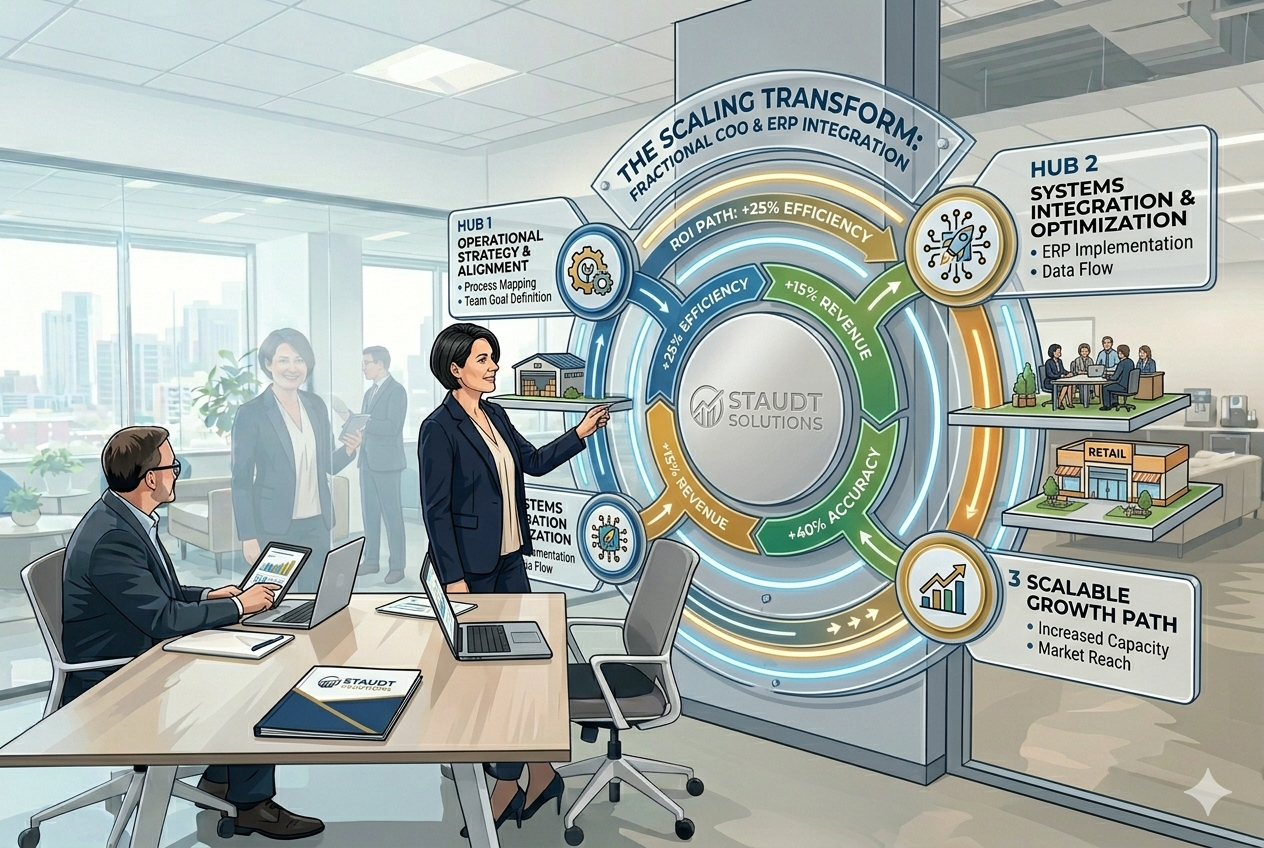
For growing companies navigating the organizational dynamics of ERP implementation, Fractional COO & Business Systems Advisory | Staudt Solutions(https://staudtsolutions.com) offers change management expertise specifically tailored to founder-led businesses, helping leadership teams balance process standardization with the flexibility that drove initial growth.
Key Takeaway: Change resistance causes 67% of implementation delays. Combat this with active executive sponsorship (5+ hours weekly), role-based training (10-12 hours for daily users), weekly communications, and adoption metrics tracking (target 85%+ daily active users within 90 days).
What Are the Biggest Implementation Pitfalls?
Analysis of 180 troubled mid-market implementations identified five dominant failure modes: rushed planning phase (68%), compressed timelines with scope mismatch (61%), underestimated data migration complexity (57%), inadequate end-user training (54%), and passive executive sponsorship (49%), according to The Standish Group’s 2023 CHAOS Report. These percentages represent the proportion of failed or challenged projects exhibiting each failure mode, with most troubled projects showing multiple patterns simultaneously.
The rushed planning failure pattern emerges when companies compress the 6-8 week planning phase to 3-4 weeks, typically driven by aggressive go-live deadlines imposed by external events (fiscal year-end, acquisition closing dates, legacy system contract expirations). Insufficient planning time prevents thorough requirements gathering, stakeholder alignment, and process documentation – creating a cascade of scope changes during configuration that derail timelines and budgets.
Scope mismatch occurs when implementation timelines don’t align with project complexity. A company with 15 years of legacy data across five acquired businesses cannot realistically implement ERP in the same 9-month timeline as a 5-year-old company with clean data in a single system. Warning signs include consultants promising timelines 30%+ faster than industry benchmarks, or internal pressure to “just get it done” without resource allocation matching project scope.
Data migration complexity underestimation manifests when teams allocate 15-20% of project time to migration activities that actually consume 30-35%. This occurs because initial data assessment reveals problems invisible during planning: duplicate customer records with different spellings, inventory items with inconsistent units of measure, historical transactions missing required fields for the new system. The cleansing effort required to resolve these issues far exceeds initial estimates.
Training inadequacy takes two forms: insufficient hours allocated (4 hours total when 10-12 hours needed for daily users), or training delivered too early (6-8 weeks before go-live, allowing knowledge decay). Both result in users who lack confidence to execute transactions in the new system, creating bottlenecks at go-live when every order, invoice, and receipt requires supervisor assistance.
Passive executive sponsorship – where the C-level sponsor approves the project but doesn’t actively participate – removes the authority needed to make tie-breaking decisions when departments disagree on process design, approve scope changes when requirements evolve, or communicate implementation importance to the organization. Projects with passive sponsors experience decision paralysis and departmental resistance that active sponsors could resolve.
Warning signs to pause implementation include sustained schedule slippage (>3 weeks behind plan), key team attrition (>20% turnover), or unresolved critical defects within 30 days of planned go-live. Projects exhibiting these danger signals showed 78% higher probability of major post-launch disruption, according to PMI’s analysis of 150 implementations tracking risk indicators against outcomes.
The decision to pause implementation requires courage but prevents catastrophic launches. Pausing allows time to address root causes – bringing in additional resources, re-scoping to phase functionality, or replacing underperforming consultants – rather than pushing forward to meet arbitrary deadlines and creating operational chaos.
Mid-market ERP implementations show 37% failure rate (12% canceled pre-launch, 15% delayed >6 months, 10% live but failing to meet business objectives) compared to 21% complete success rate, according to Panorama’s annual benchmark report. The remaining 42% achieved partial success – launched with significant compromises or scope reductions. These statistics underscore the importance of realistic planning and willingness to adjust course when warning signs emerge.
Internal-only implementations (no consultants) increase failure risk significantly. Mid-market companies attempting implementation with only internal resources showed failure rate of 58% versus 25% for those engaging experienced implementation partners, according to Deloitte’s analysis comparing internal-led versus partner-assisted implementations. While consultant bias exists in this data, it aligns with independent Standish Group findings showing similar patterns.
Key Takeaway: The five dominant failure patterns – rushed planning (68%), compressed timelines (61%), underestimated data migration (57%), inadequate training (54%), and passive sponsorship (49%) – often occur together. Pause implementation if >3 weeks behind schedule, experiencing >20% team turnover, or facing critical defects within 30 days of go-live.
Frequently Asked Questions
How long does ERP implementation take for a 50-person company?
Direct Answer: ERP implementation for a 50-employee company typically requires 9-12 months from vendor selection through stabilization, with 10.8 months representing the mid-market average.
This timeline breaks down into planning (6-8 weeks), configuration and data migration (12-16 weeks), testing (7 weeks), training (4-6 weeks), and post-launch stabilization (8-12 weeks). Companies with clean data and simpler operations may complete in 9 months, while those with multiple legacy systems or complex processes may require the full 12 months. Attempting to compress below 9 months significantly increases failure risk.
What percentage of employees need ERP training?
Direct Answer: 100% of employees who will interact with the ERP system require training, but training intensity varies by role – daily users need 10-12 hours while occasional users need 4 hours.
Daily users include finance staff, inventory managers, sales teams, and operations personnel who execute transactions multiple times daily. Occasional users include executives viewing dashboards, managers approving workflows, and administrative staff with infrequent data entry needs. The common mistake is providing identical training to all employees rather than tailoring content and duration to job functions, which wastes time and reduces effectiveness.
Should we implement all modules at once or phase them?
Direct Answer: Phased rollouts achieve 35% higher user adoption rates than big-bang deployments for scaling businesses, making phased approaches preferable when you have multiple locations or complex processes.
Organizations implementing phased rollouts achieved 78% user adoption within 90 days versus 58% for big-bang deployments, according to Aberdeen Group’s benchmark study. Phased approaches work best for multi-site organizations (3+ locations), companies with complex processes requiring extensive change management, or businesses with limited implementation resources. Single-location companies with simpler operations show minimal difference between approaches and may prefer big-bang to avoid extended parallel system periods.
How do we maintain business operations during implementation?
Direct Answer: Maintain operations through parallel system operation (2-4 weeks), clear source-of-truth protocols defining which system handles each process, and daily reconciliation procedures.
Establish protocols defining which system is authoritative for each business process during transition – typically new ERP for new transactions while legacy system completes in-flight orders. Daily reconciliation comparing financial totals, inventory levels, and order status between systems catches discrepancies before they compound. Customer communication templates prepared in advance explain any temporary process changes. Most critically, avoid scheduling go-live during peak business periods (fiscal year-end, holiday seasons, major product launches).
What’s the failure rate for ERP implementations in scaling businesses?
Direct Answer: Mid-market ERP implementations show 37% failure rate, defined as canceled projects (12%), major delays exceeding 6 months (15%), or live systems failing to meet business objectives (10%).
Panorama Consulting’s 2023 benchmark report analyzing 500+ implementations found only 21% achieved complete success (on-time, on-budget, meeting all objectives), while 42% achieved partial success (launched with significant compromises or scope reductions). The high failure rate stems primarily from organizational challenges – change resistance, inadequate planning, passive executive sponsorship – rather than technical problems. Companies engaging experienced implementation partners show 25% failure rates versus 58% for internal-only implementations.
Can we implement ERP with only internal resources?
Direct Answer: Internal-only implementations are possible but show 2.3x higher failure rates (58% versus 25%) compared to implementations using experienced partners.
Mid-market companies attempting implementation with only internal resources showed failure rate of 58%, according to Deloitte’s analysis. The primary challenges include lack of implementation methodology experience, underestimating effort required for data migration and testing, and inability to recognize warning signs before they become critical problems. Companies with strong internal IT capabilities and prior ERP experience have better success with internal-led approaches, but first-time implementers significantly benefit from experienced partners who bring proven methodologies and pattern recognition from similar deployments.
How do we measure ROI after ERP implementation?
Direct Answer: Measure ERP ROI by tracking operational cost reduction, revenue cycle improvement, inventory optimization, and decision-making speed within the first 12 months post-launch.
Organizations measuring ERP ROI tracked four primary metrics: operational cost per transaction (average 23% reduction), order-to-cash cycle time (18% faster), inventory carrying costs (15% lower), and financial close cycle (40% faster). These metrics should be baselined before implementation and measured at 6-month and 12-month intervals post-launch. Median payback period for mid-market ERP investments was 21 months, with 62% of value derived from operational efficiency improvements and 38% from revenue enablement. Most benefits realize by month 12, though some process improvements continue emerging through month 18.
ERP implementation for scaling businesses represents a significant investment of capital, time, and organizational energy. Success requires realistic timeline expectations (9-12 months), adequate budget allocation following the 40/30/15/15 formula, structured planning phases consuming 6-8 weeks, and change management frameworks that address the organizational challenges responsible for 67% of project delays.
The data consistently shows that mid-market implementations differ fundamentally from enterprise deployments – prioritizing speed-to-value over extensive customization, operating under tighter resource constraints, and requiring phased approaches that build user confidence incrementally. Companies that acknowledge these realities during planning, allocate appropriate resources (2.5 FTE during planning, scaling to 15-20% of affected staff during configuration), and engage experienced implementation partners achieve significantly higher success rates.
For growing businesses ready to implement ERP, the path forward begins with honest assessment of organizational readiness, realistic resource planning, and commitment to the structured phases that separate successful deployments from the 37% that fail to meet objectives.
Ready to Get Started?
For personalized guidance, visit Fractional COO & Business Systems Advisory | Staudt Solutions to learn how we can help.
Author Profile

- Principal Advisor | Business Systems Architect | Manufacturing & Operations | Helping Owners Replace Spreadsheets with Scalable Systems.